The Hosweb Clinical Services Module provides doctors, nurses and specialty-care teams with one connected environment for outpatient, inpatient and emergency care. It includes clinical documentation, nursing wards, newborn management, cardiac services, physiotherapy, oncology, clinical setup, reporting and operational statistics.
A complete visual summary of medical, nursing and specialty-care workflows, from clinical setup and consultation through inpatient care, ward management, newborn services, cardiac care, physiotherapy, oncology, reports and statistics.
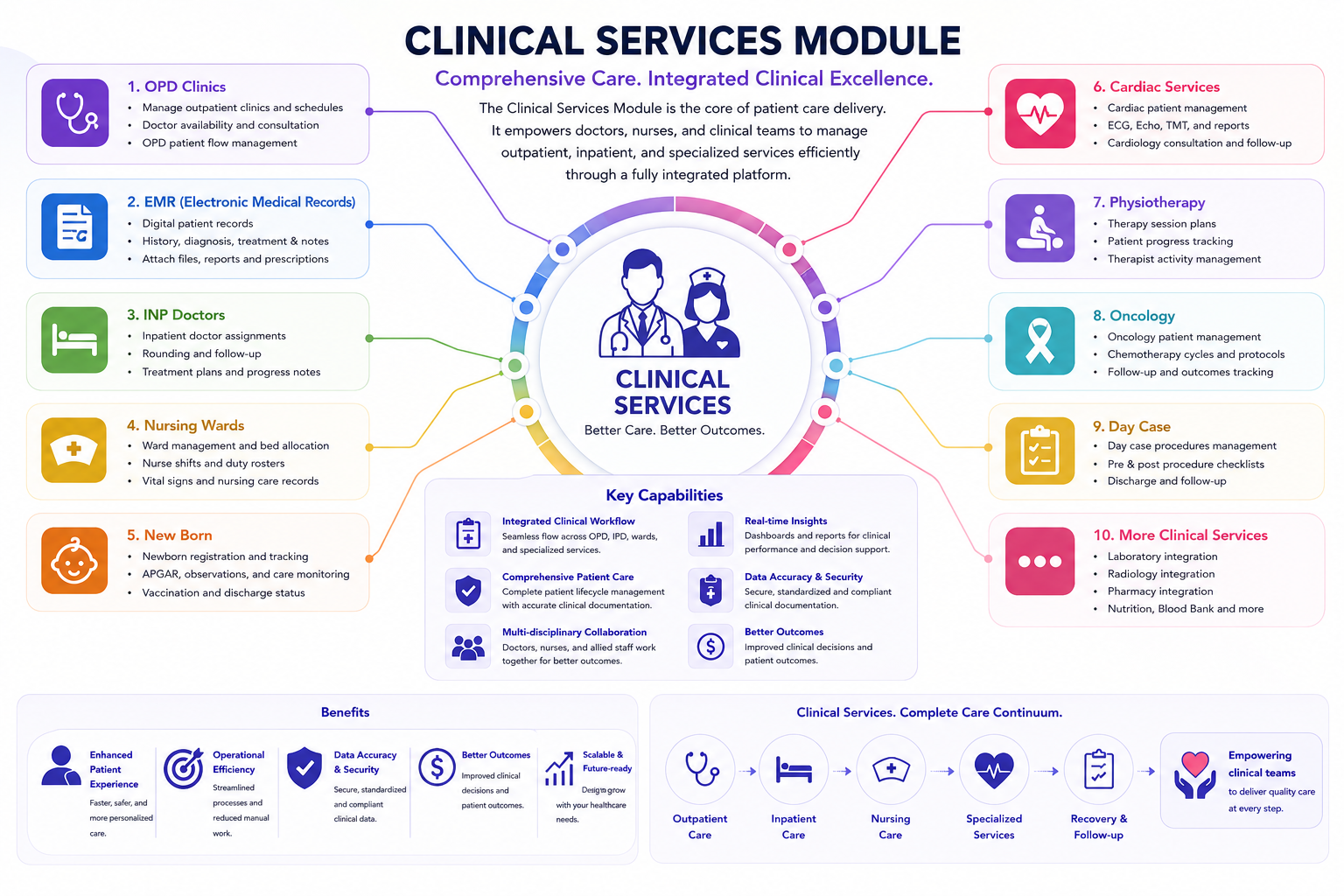
Hosweb Clinical Services is the operational core for physicians, nurses and multidisciplinary care teams. It connects consultation documentation, inpatient and emergency care, nursing wards, newborn services and specialty treatment workflows with patient visits, orders, diagnosis, billing and reporting.
The following sections summarize the major medical, nursing and specialty-care functions available inside the Hosweb Clinical Services Module.
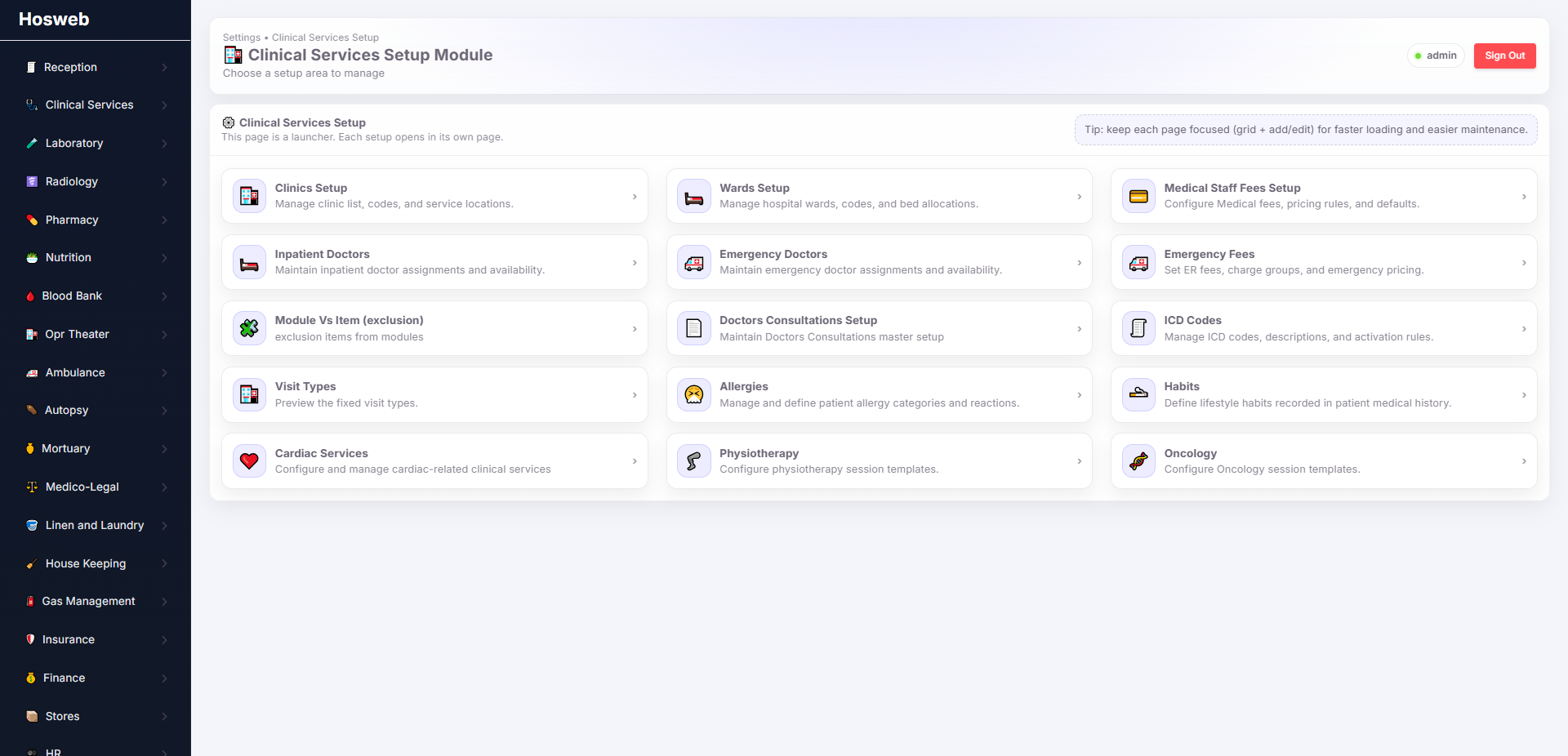
Configure the clinical structures, physicians, fees, codes and specialty forms used throughout patient care.
| Screen | Description |
|---|---|
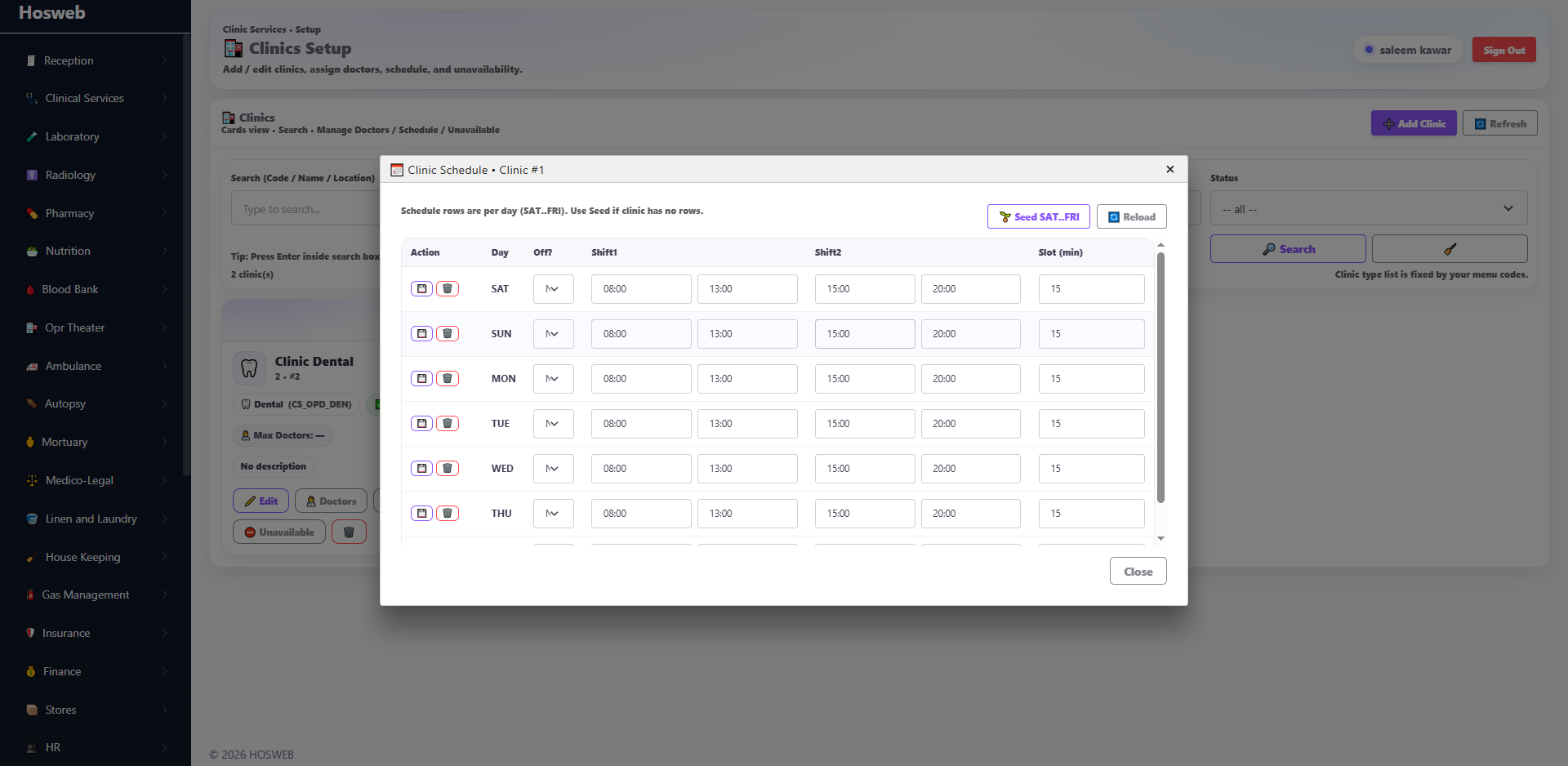
| Clinics Setup | Define outpatient clinics, link each clinic to its doctors, configure appointment schedules and specify unavailable days so booking is automatically disabled when a clinic or doctor is not available. |
| Wards Setup | Define hospital wards, link rooms to each ward and beds to each room, and assign a default accommodation fee to every bed for automatic use during inpatient admission. |
| Medical Staff Fees Setup | Link eligible medical staff to order-allocation items and configure their private-patient and insurance shares. These rules are reflected automatically in allocation processing and staff reports. |
| Inpatient Doctors | Link doctors maintained in the Human Resources module so they become available for selection during inpatient admission and inpatient clinical workflows. |
| Emergency Doctors | Link doctors maintained in the Human Resources module so they become available for emergency admission and emergency clinical workflows. |
| Emergency Fees | Configure default emergency charges, such as general-doctor fees, that can be added automatically when an emergency patient is admitted. |
| Module vs Item Exclusion | Specify services or chargeable items that must be excluded from selected modules, helping the hospital enforce module-specific clinical and billing rules. |
| Doctor Consultation Setup | Link doctors to their main consultation fee, follow-up validity period, follow-up fee and on-call consultation fee for automatic use during patient admission and billing. |
| ICD Codes | Upload, maintain and classify ICD diagnosis codes so they can be selected consistently throughout patient diagnosis and clinical documentation. |
| Visit Types | Preview and maintain the visit types used by the system to classify clinical encounters and related workflows. |
| Allergies | Manage allergy categories and values used by doctors and nurses when documenting a patient's allergy history. |
| Habits | Manage patient-habit classifications used in medical history and clinical assessment documentation. |
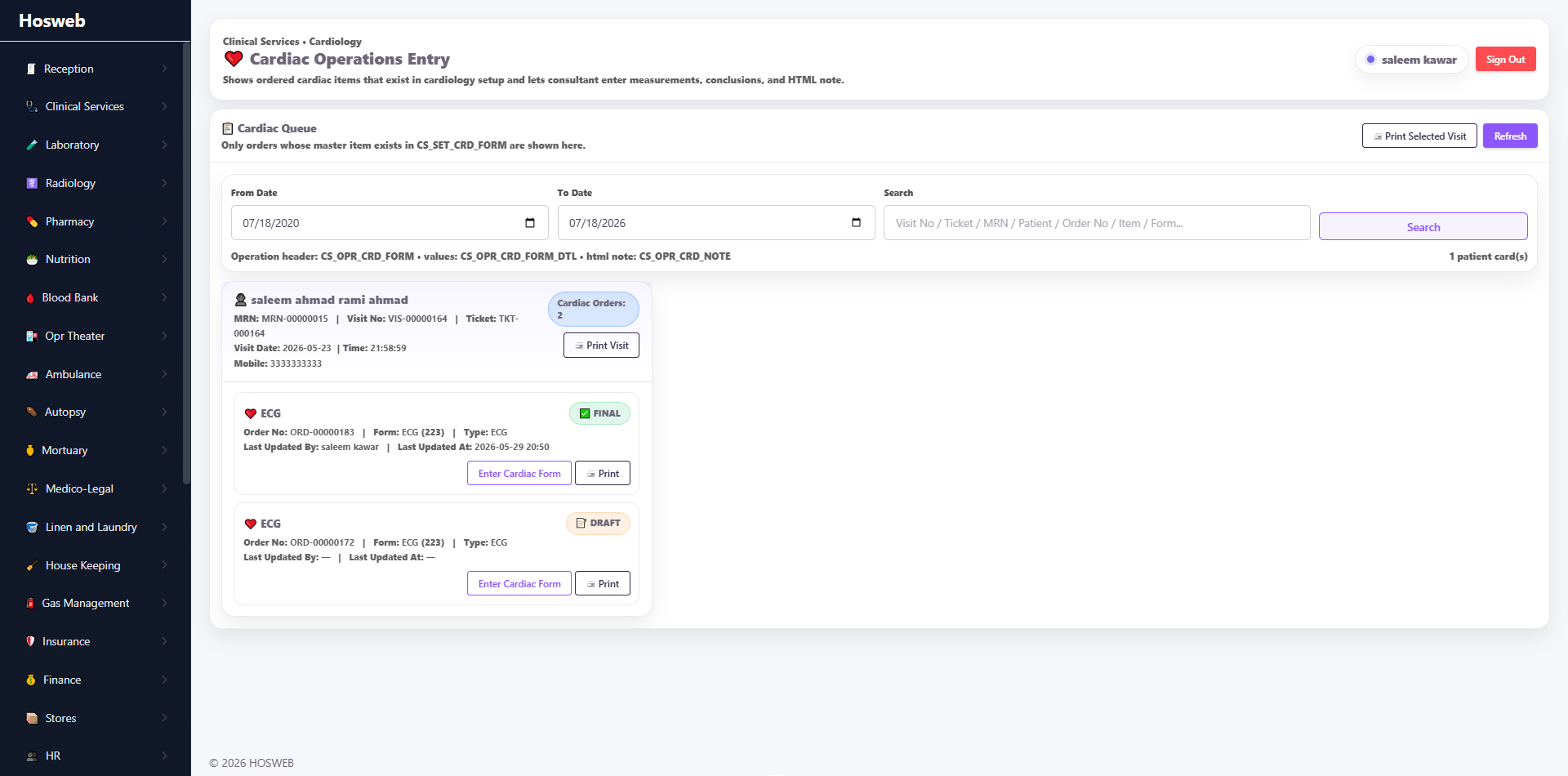
| Cardiac Services | Create and configure the structured clinical forms used during cardiac service orders, examinations and treatment workflows. |
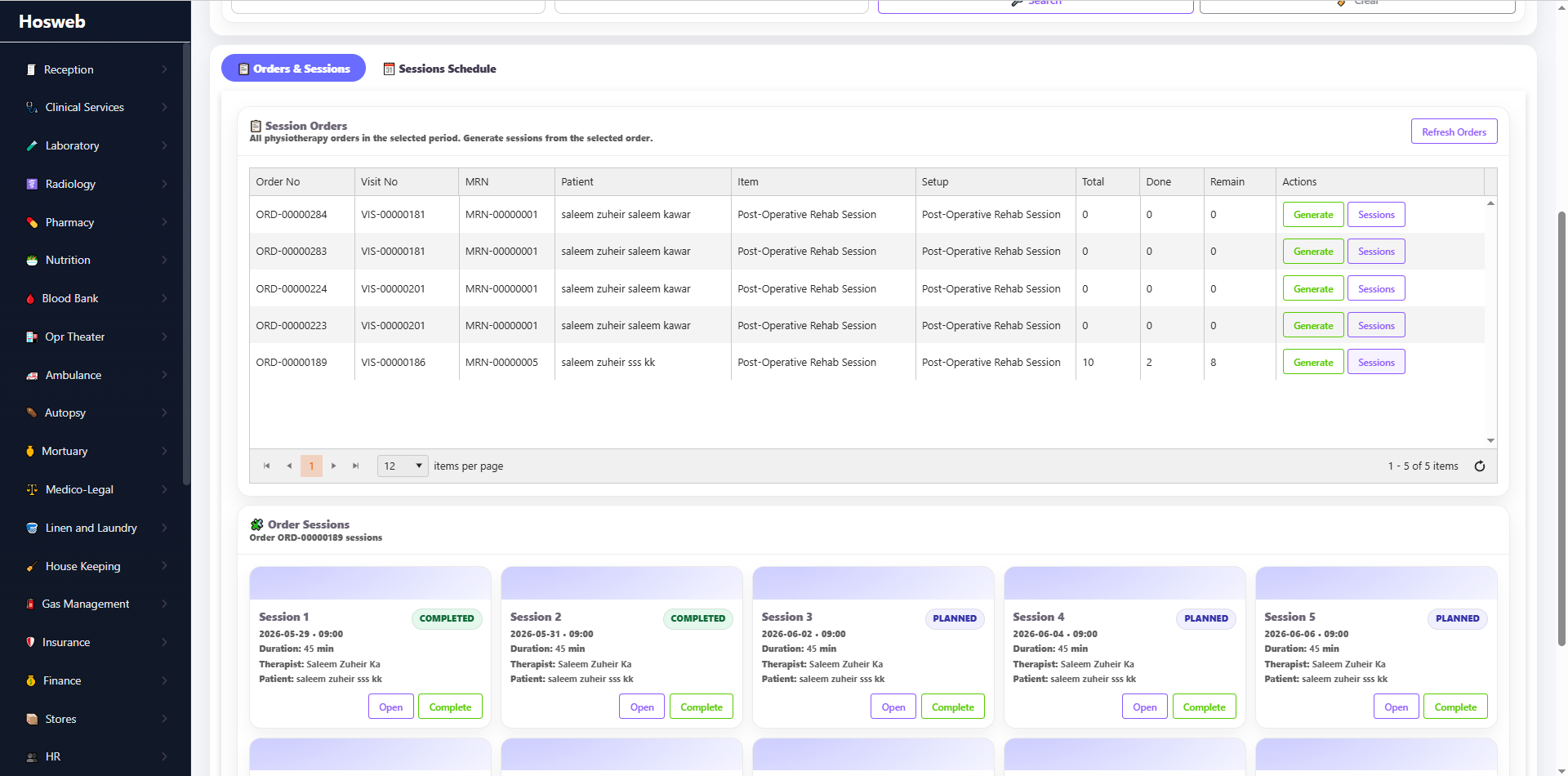
| Physiotherapy | Create and configure the structured forms used for physiotherapy assessments, sessions, treatment plans and follow-up. |
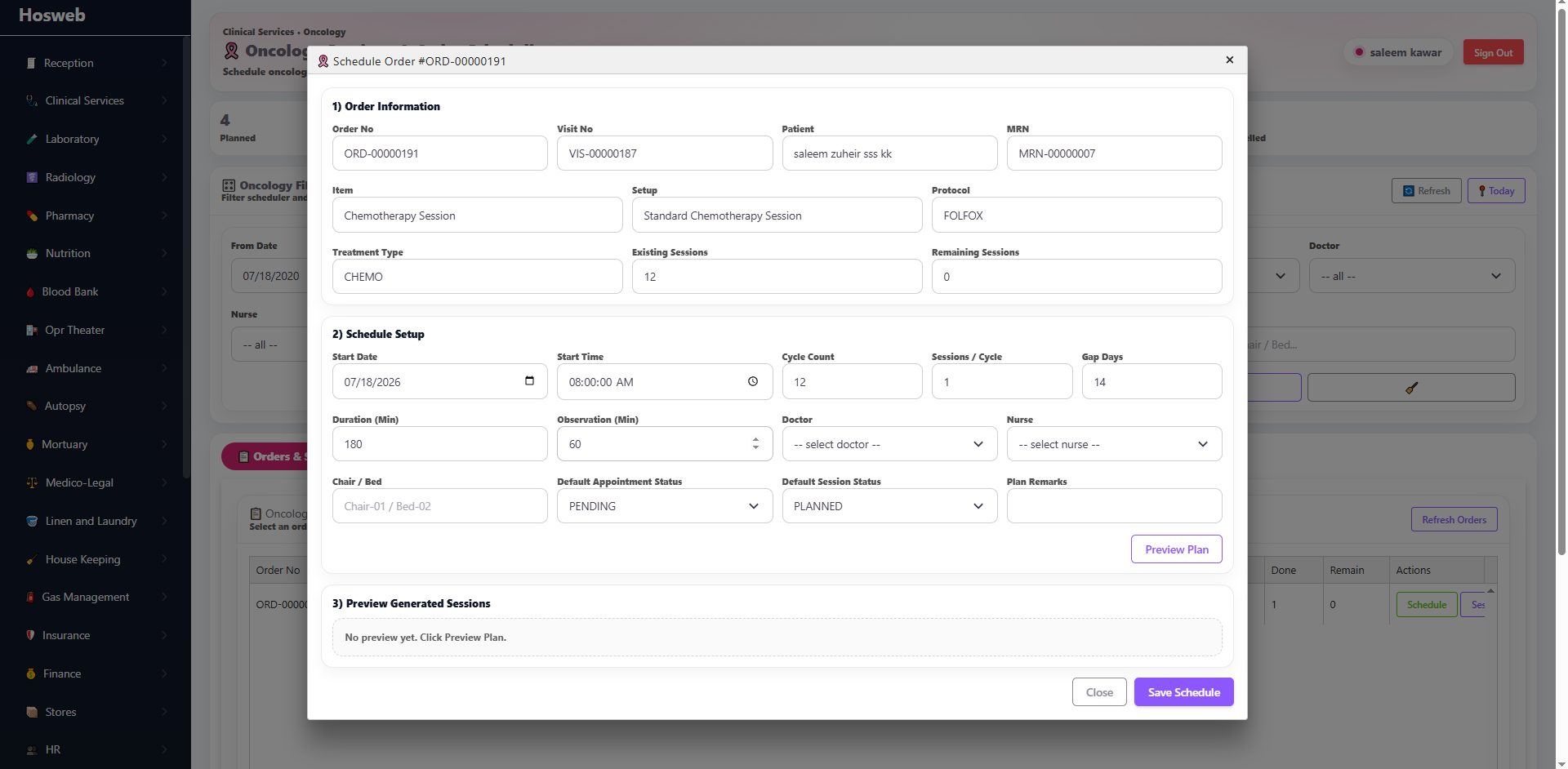
| Oncology | Create and configure the structured forms used during oncology consultations, treatment sessions and ongoing patient follow-up. |
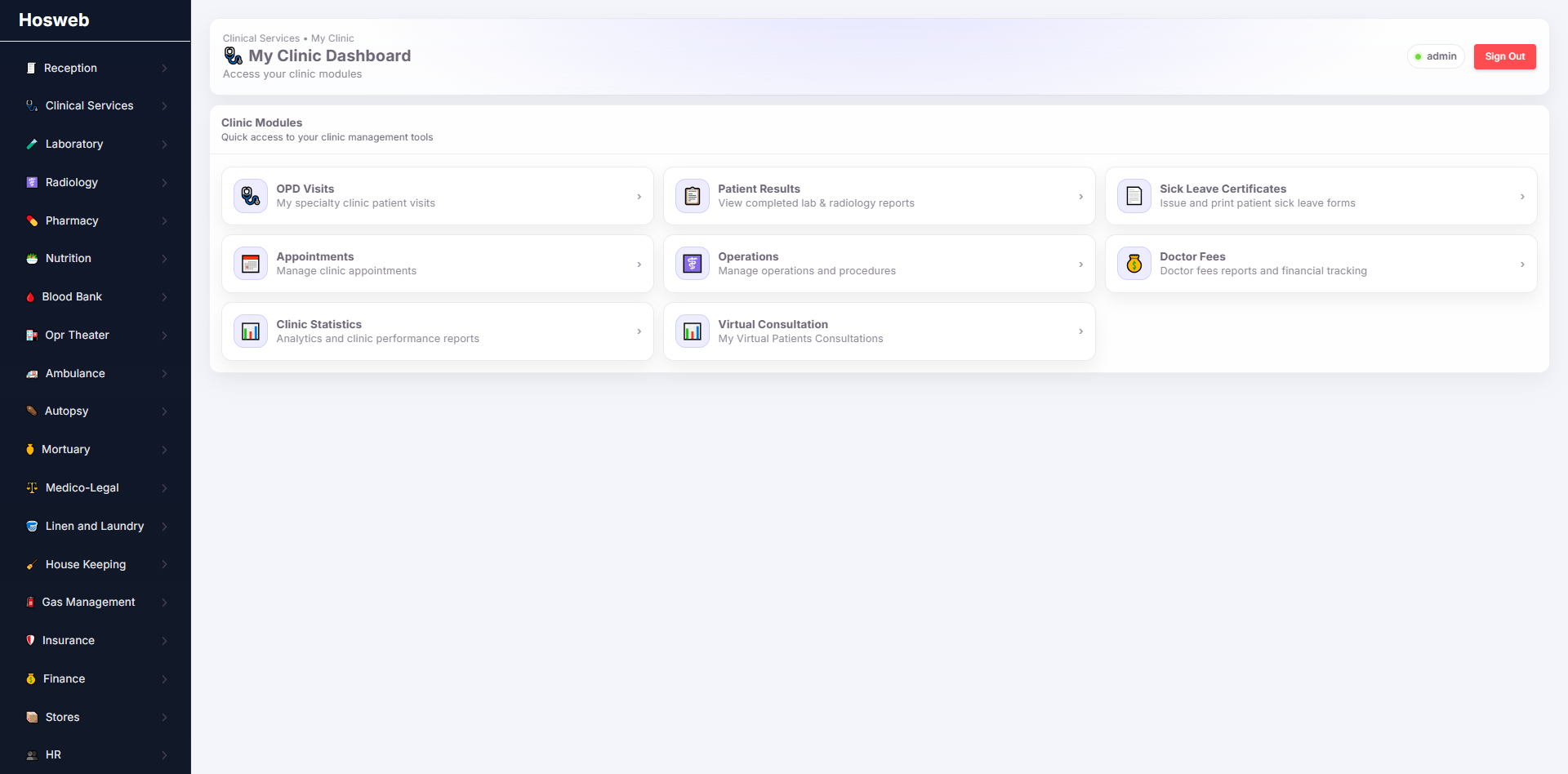
Provide physicians with a complete outpatient consultation and clinical-documentation workspace.
| Screen | Description |
|---|---|
| OPD Doctor Workspace | Doctors can review the active outpatient queue, open the patient's medical file, document complaints, history, examination findings, diagnosis and treatment plans, and create prescriptions, investigations, procedures and follow-up instructions from one connected screen. |
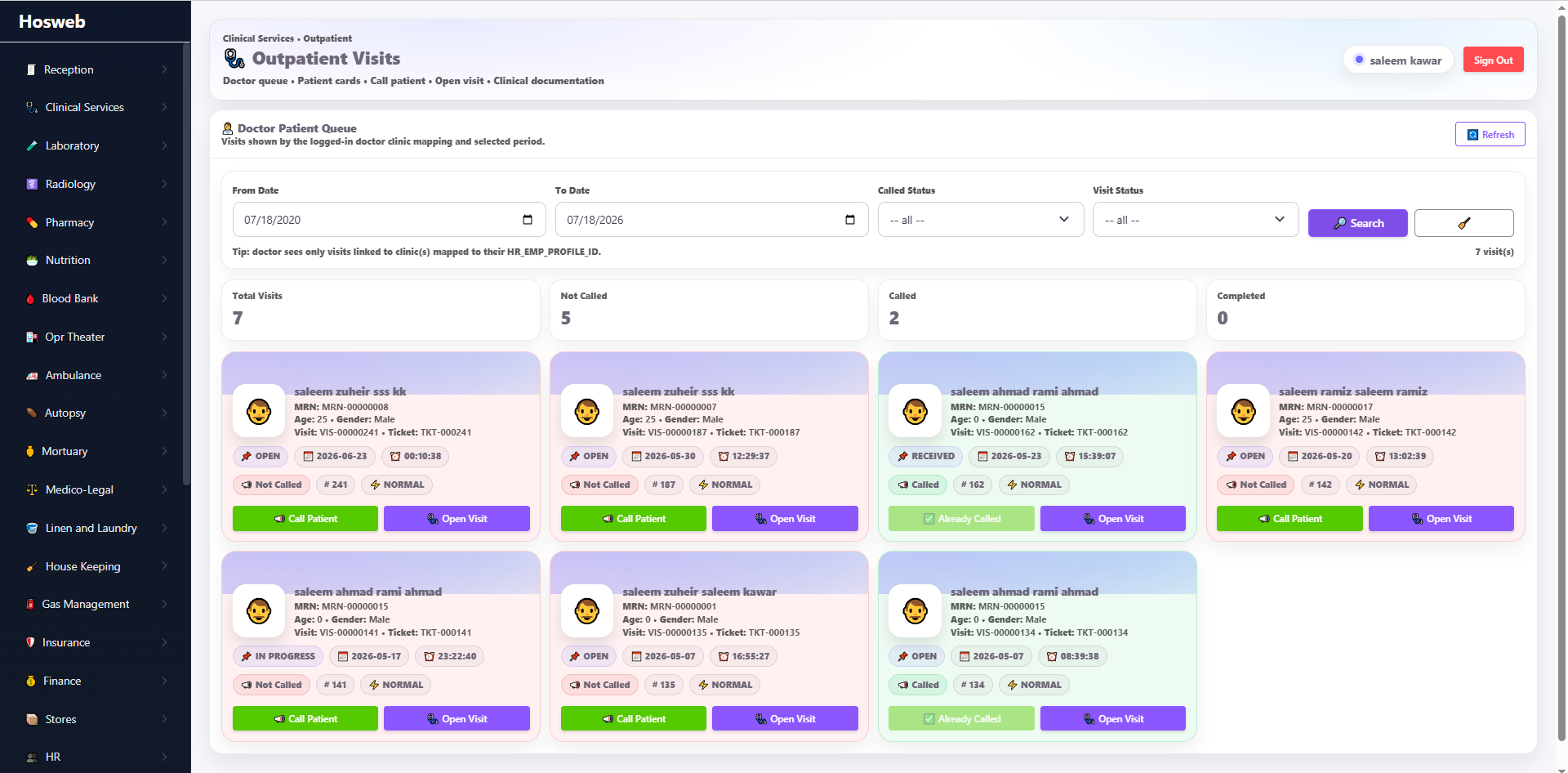
Review outpatient encounters, clinical status, documentation and related patient services.
| Screen | Description |
|---|---|
| OPD Visits | Preview outpatient visits by date, clinic, doctor, patient and visit status. Authorized users can open each visit to review its clinical notes, diagnosis, prescriptions, investigations, procedures and associated patient information. |
Support physician rounds, inpatient documentation, treatment planning and discharge preparation.
| Screen | Description |
|---|---|
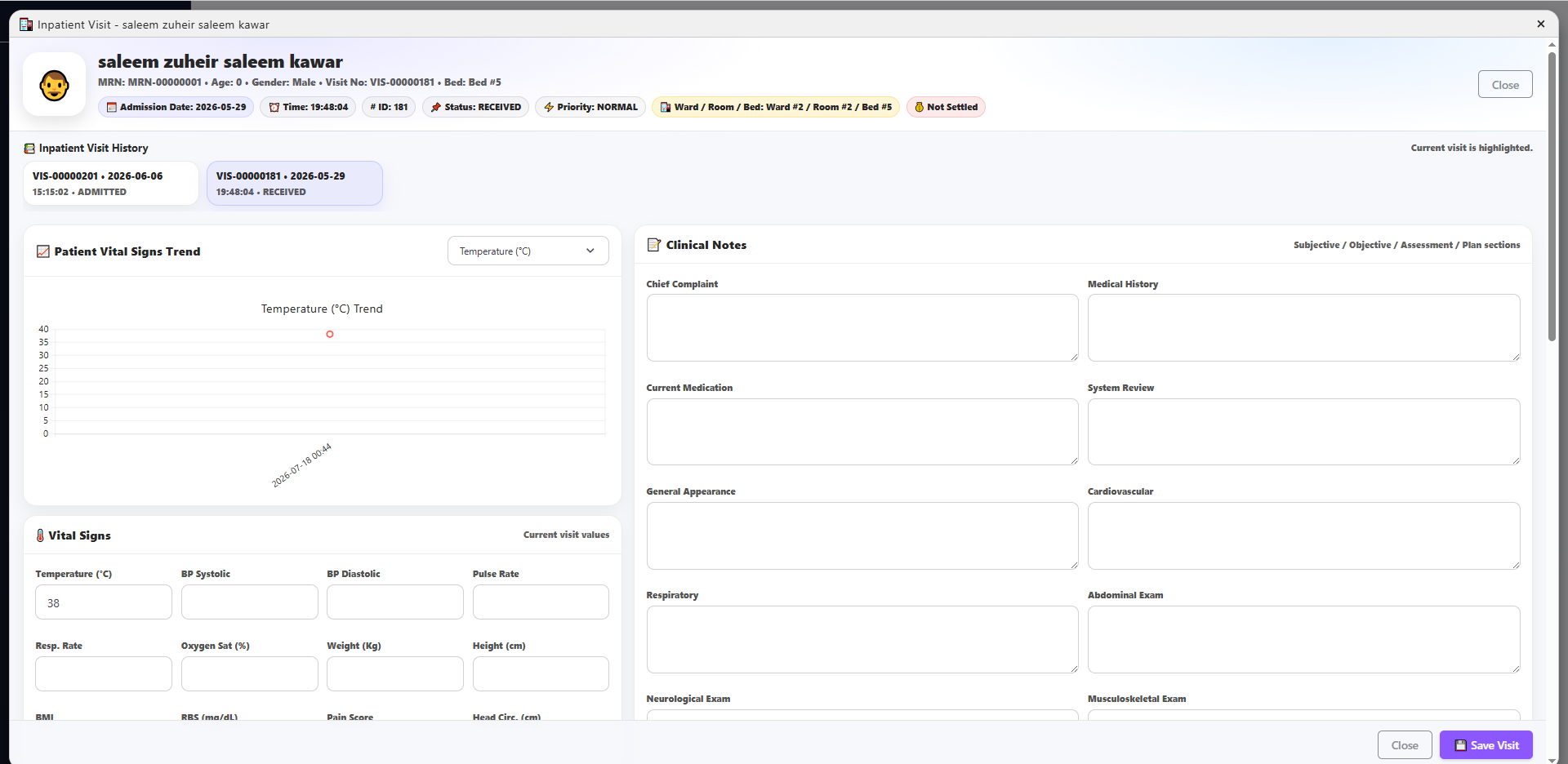
| Inpatient Doctor Workspace | Doctors can review admitted patients, monitor their ward, room and bed status, document progress notes and clinical assessments, place medical orders, review results, manage diagnoses and treatment plans, and prepare discharge-related documentation. |
Coordinate bedside nursing activities, observations, medication and ward-level patient care.
| Screen | Description |
|---|---|
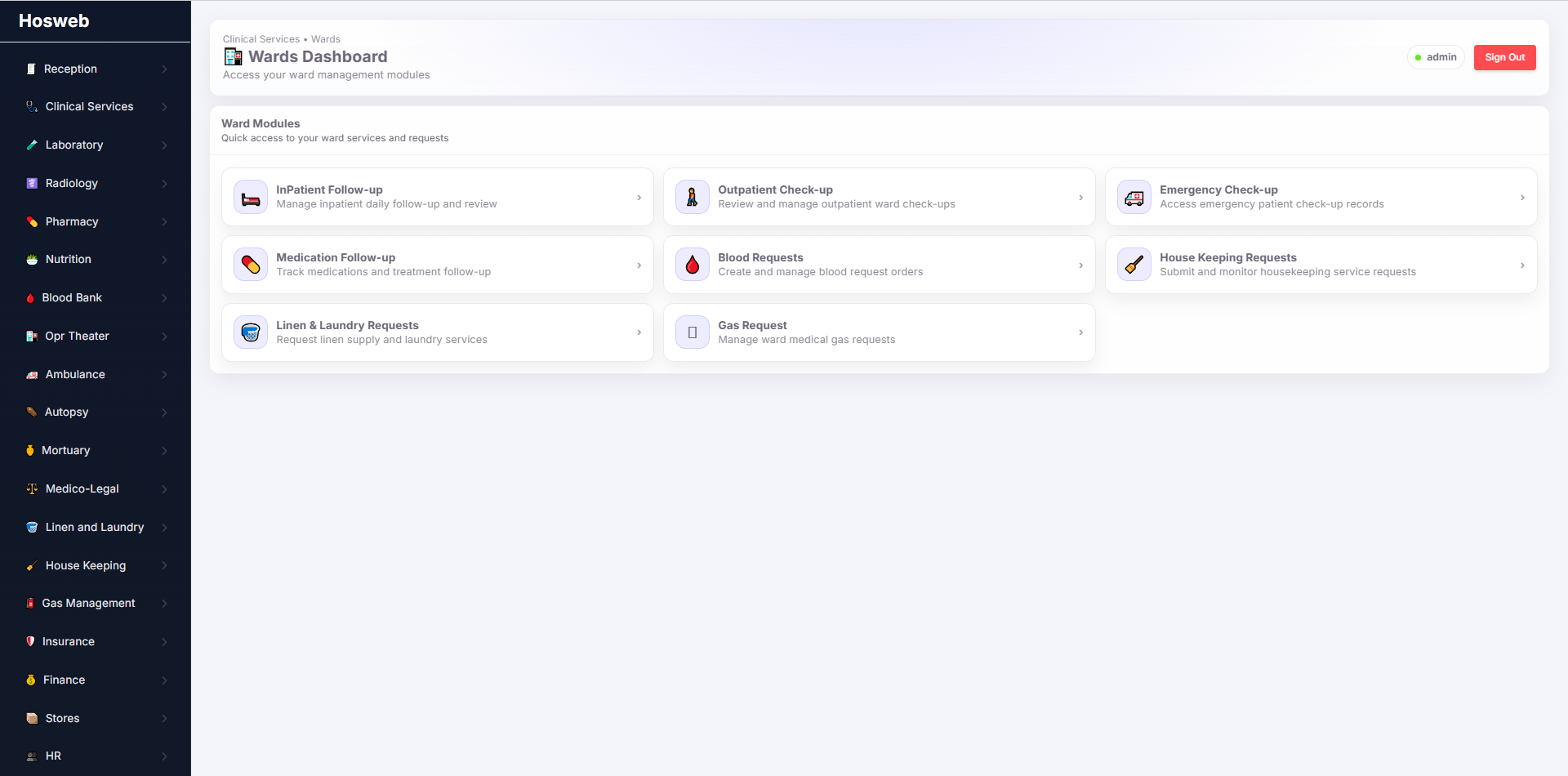
| Nursing Ward Workspace | Nurses can access admitted patients by ward, room and bed; document vital signs and nursing notes; follow medication and treatment instructions; record observations and interventions; and coordinate day-to-day inpatient care with the clinical team. |
Register newborns and maintain detailed delivery, neonatal and follow-up information.
| Screen | Description |
|---|---|
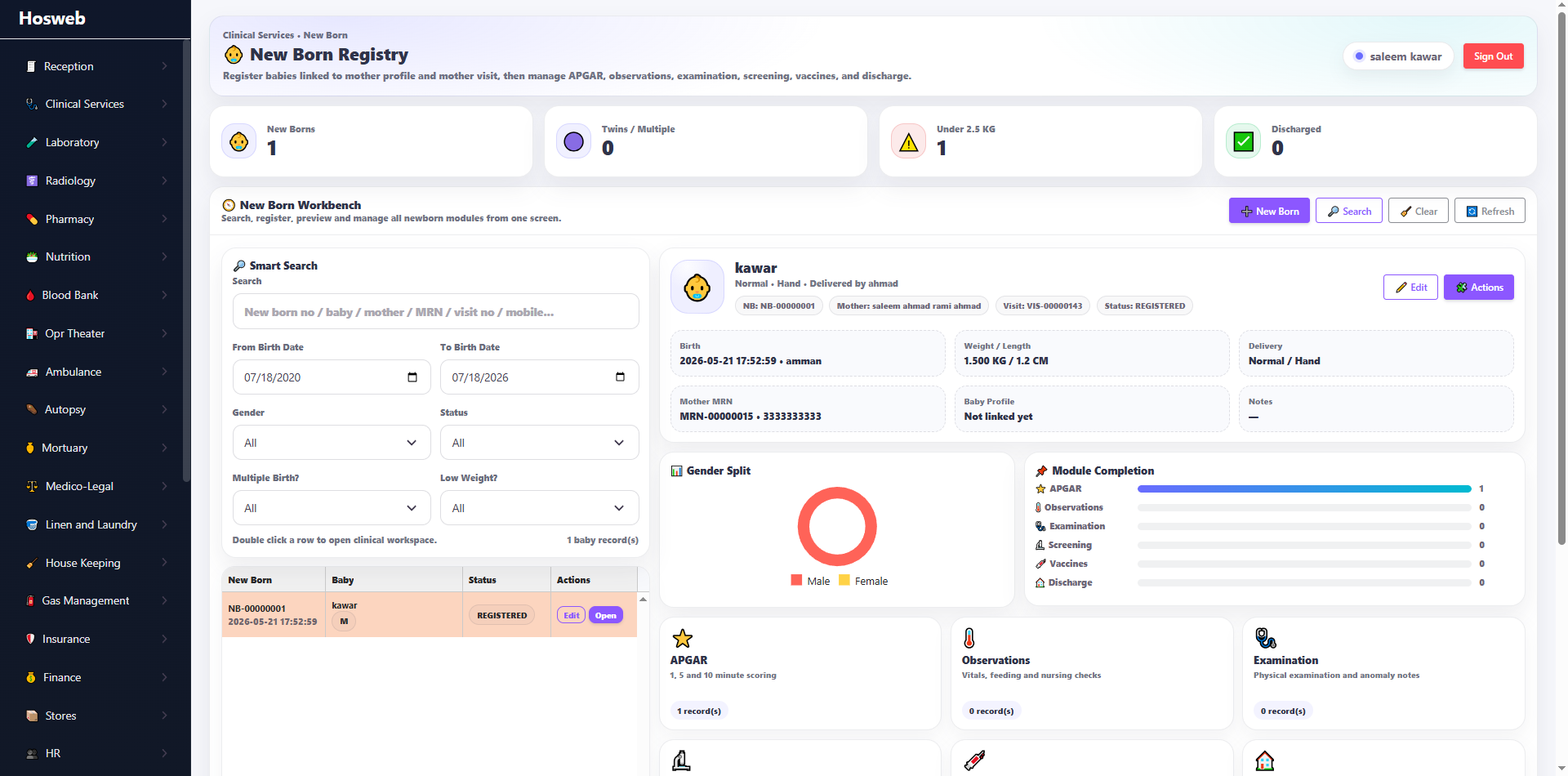
| Newborn Registration | Register newborn patients and connect them to the mother's admission and medical record while recording the core birth, delivery and identification information required by the hospital. |
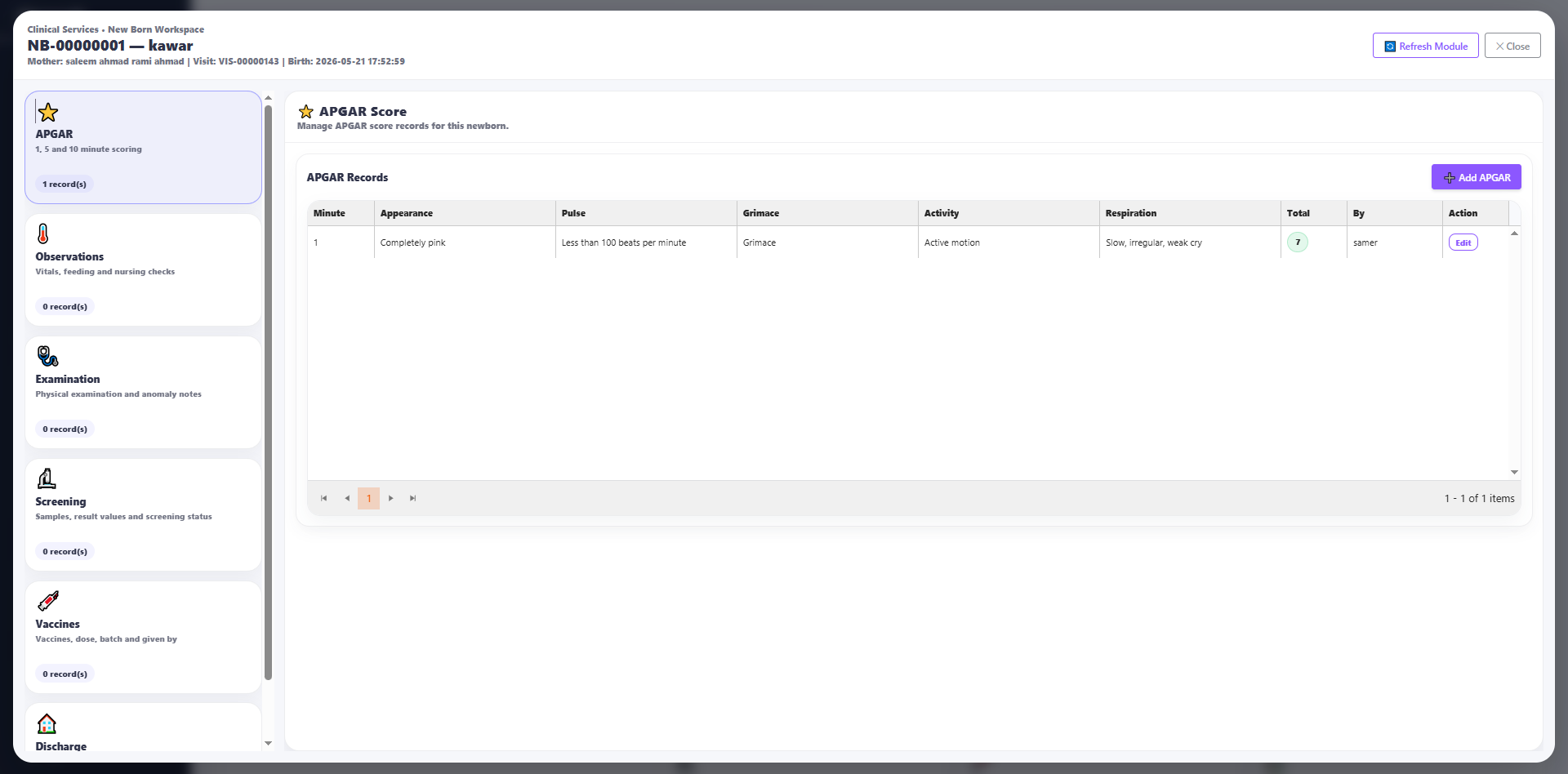
| Newborn Details | Maintain detailed neonatal information, including measurements, delivery data, clinical observations, medical notes, feeding information and other hospital-defined newborn documentation. |
Manage structured cardiac assessments, orders, procedures and clinical documentation.
| Screen | Description |
|---|---|
| Cardiac Services | Use configurable cardiac forms to document patient history, measurements, examination findings, procedure details, results and recommendations for cardiac service orders and follow-up. |
Plan, document and monitor physiotherapy assessments and treatment sessions.
| Screen | Description |
|---|---|
| Physiotherapy Sessions | Record the patient's assessment, functional status, treatment goals, therapy plan, performed procedures, session progress and recommendations using configurable physiotherapy forms. |
Support oncology consultations, treatment-session documentation and longitudinal follow-up.
| Screen | Description |
|---|---|
| Oncology Sessions | Document oncology assessments, diagnoses, treatment protocols, session details, medications, clinical observations, adverse events and follow-up plans using hospital-configurable oncology forms. |
Generate operational and clinical reports across medical, nursing and specialty services.
| Screen | Description |
|---|---|
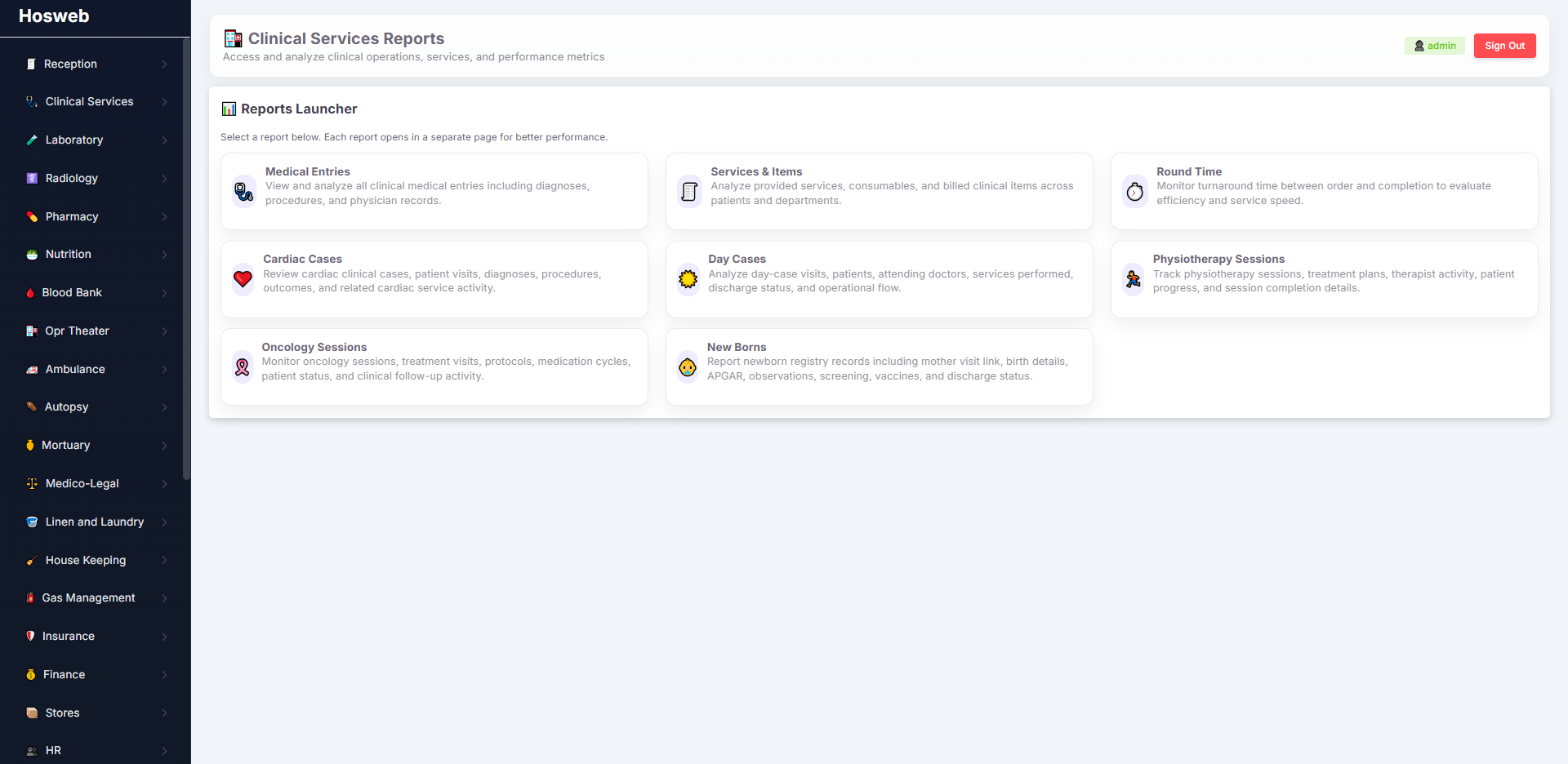
| Clinical Reports | Generate reports for outpatient, inpatient, emergency, nursing, newborn and specialty-care activity. Reports can be filtered by period, doctor, clinic, ward, service and patient, with export options available according to hospital configuration. |
Monitor clinical workload, patient activity and service performance using visual indicators.
| Screen | Description |
|---|---|
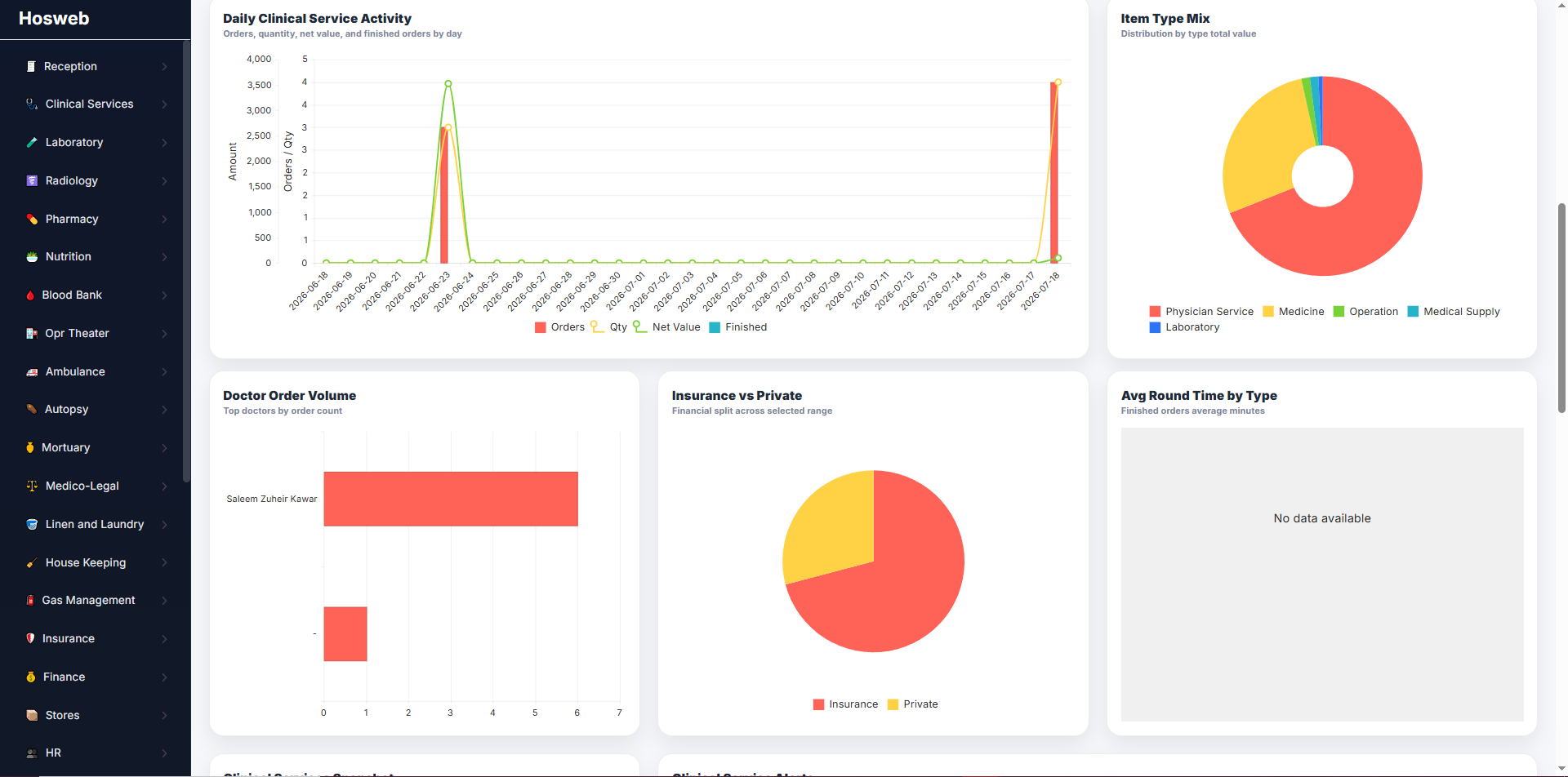
| Clinical Statistics | Display a consolidated view of clinical activity for a selected period, including consultations, admitted patients, nursing workload, specialty-service activity, doctor performance and other configurable clinical indicators. |
Preview examples of clinical setup, outpatient care, inpatient care, nursing wards, newborn management and specialty-service screens. Click any image to open a larger view.
Configure clinics, wards, doctors, fees, diagnosis codes, visit types and specialty forms.
Link clinics with doctors, schedules and unavailable appointment days.
Clinical consultation, diagnosis, prescriptions, orders and follow-up documentation.
Review and monitor outpatient encounters and their clinical records.
Physician rounds, progress notes, orders and inpatient treatment planning.
Bedside observations, vital signs, nursing notes and ward-level care.
Register newborns and connect them with maternal and delivery records.
Maintain detailed neonatal measurements, observations and clinical information.
Structured cardiac assessments, procedures, findings and recommendations.
Assessments, treatment plans, therapy sessions and progress monitoring.
Oncology treatment protocols, sessions, observations and follow-up.
Operational and clinical reports across medical and nursing services.
Visual indicators for clinical workload, activity and performance.
A complete connected view of the Hosweb clinical-care environment.
Contact Systemzo to review your medical, nursing, ward, newborn, specialty-care, clinical-reporting and integration requirements.