Amman, Jordan Enterprise support and implementation
+962 790 618 161 info@systemzo.com
Hosweb HMIS Reception Module
Patient Administration and Front-Desk Operations

A Complete Hospital Reception Platform.

The Hosweb Reception Module connects patient registration, appointments, outpatient, inpatient, emergency and walk-in admissions, triage, queue management, medical records, cashbox operations, card generation, reports and statistics in one controlled and user-friendly workspace.

Explore Reception Functions View Reception Overview
15+Reception Areas
4Admission Workflows
360°Patient Administration
LiveQueue and Statistics
Reception Overview

One Connected Front-Desk Workflow

A complete visual summary of admissions, appointments, queue management, insurance, cashiering, card generation, medical records, allocation, reporting and security.
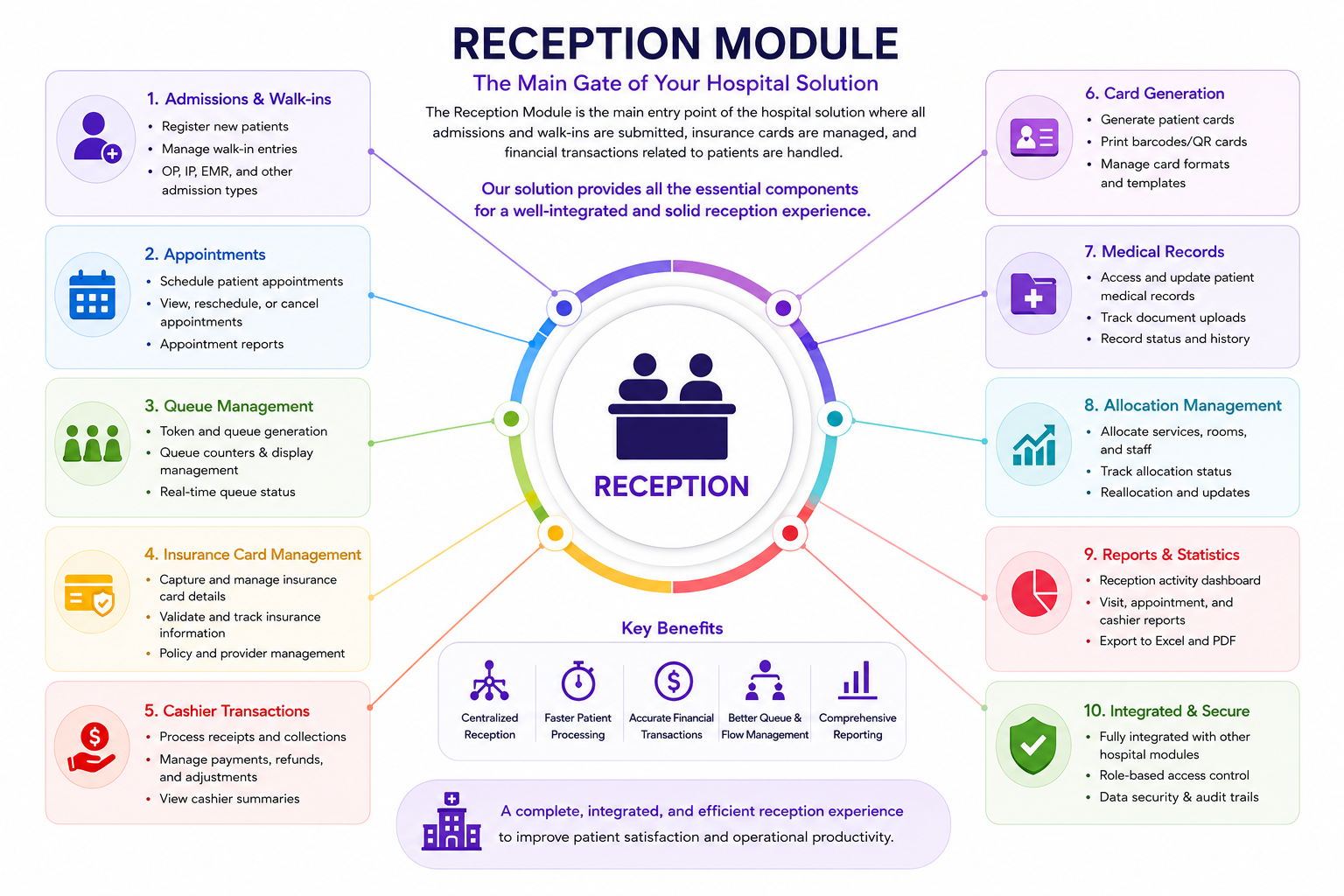
Hosweb Reception Module infographic
Hosweb Reception Module Full reception workflow overview — displayed without cropping.
Appointment Management
Unified Patient Records
Integrated Cashbox
Smart Queue Displays
Reception Overview

Manage the Patient Journey from First Contact to Payment

Hosweb Reception gives receptionists, admission officers, cashiers, triage staff and medical-record teams a connected view of every patient interaction. Each workflow is linked to the patient's medical file, visit, insurance details, services, balances, invoices and operational status.

  • Register and classify patients using configurable medical-record structures
  • Manage OPD, inpatient, emergency and walk-in admissions
  • Control appointments, queues, smart cards and patient-flow screens
  • Handle receipts, down payments, discounts, refunds and vouchers
  • Generate operational reports, allocation reports and reception statistics
RegisterPatient profiles and identities
AdmitOPD, INP, EMR and walk-in
BillCashbox and visit transactions
MonitorQueues, reports and statistics
Detailed Scope

Reception Module Screens and Capabilities

The following sections summarize the complete reception scope available inside Hosweb HMIS.

01

Reception Setup Module

Configure the operational rules and master setup used by reception workflows.

Screen Description
Unpaid Reasons Define possible reasons why a patient did not pay, such as the doctor leaving before the visit was completed.
Default Setup Configure general reception rules, including whether unpaid payments are allowed, whether only available medicines are displayed and whether only available rooms are displayed.
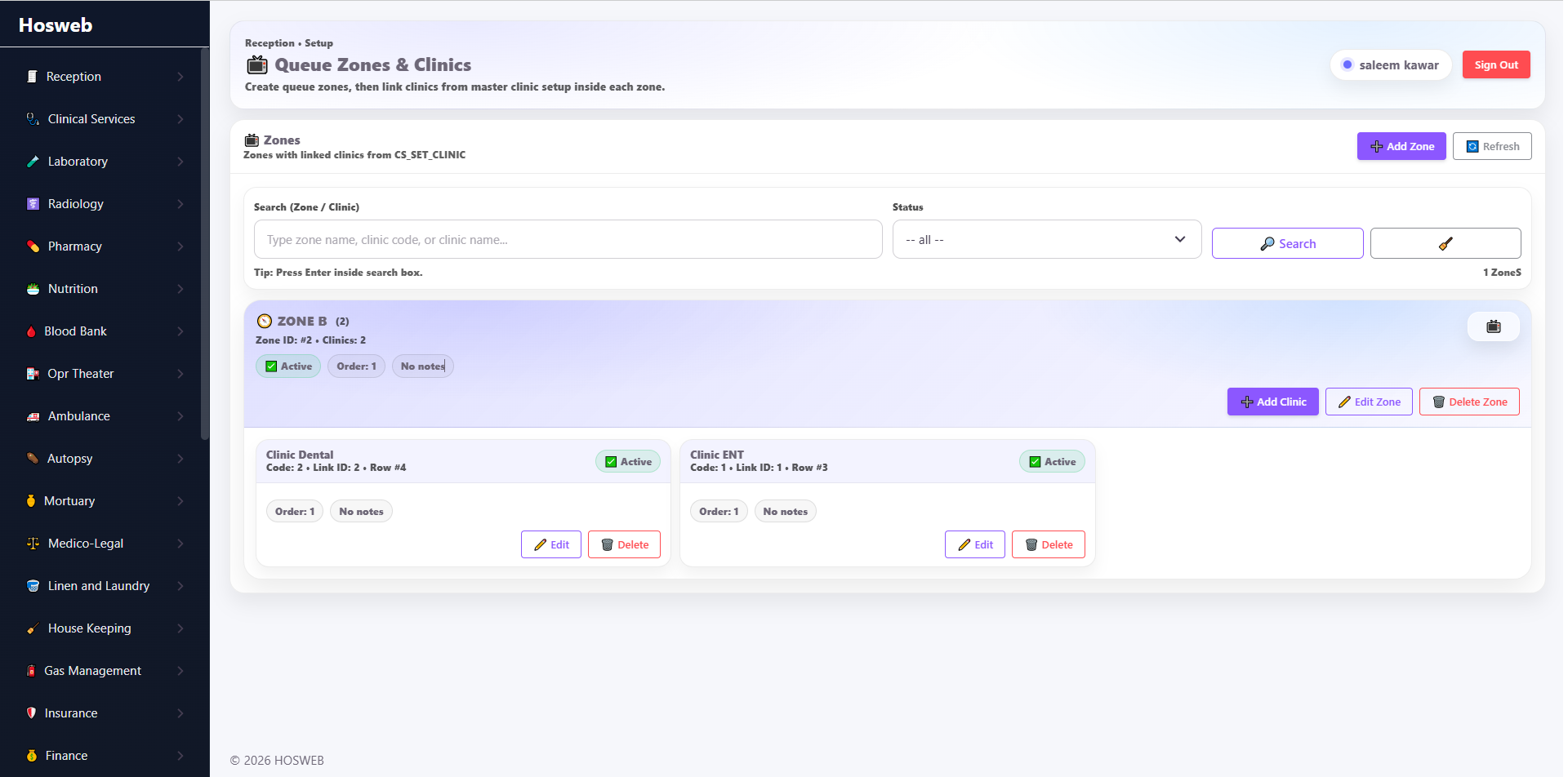
Queue Management Create hospital screen zones and link clinics or rooms to each zone. Every queue display can then show the tickets associated with its assigned zone.
Smart Card Setup Build customizable printable patient smart cards and define the exact patient details, labels and information included in the card design.
02

Appointments Module

Manage appointment availability, booking activity and patient attendance status.

ScreenDescription
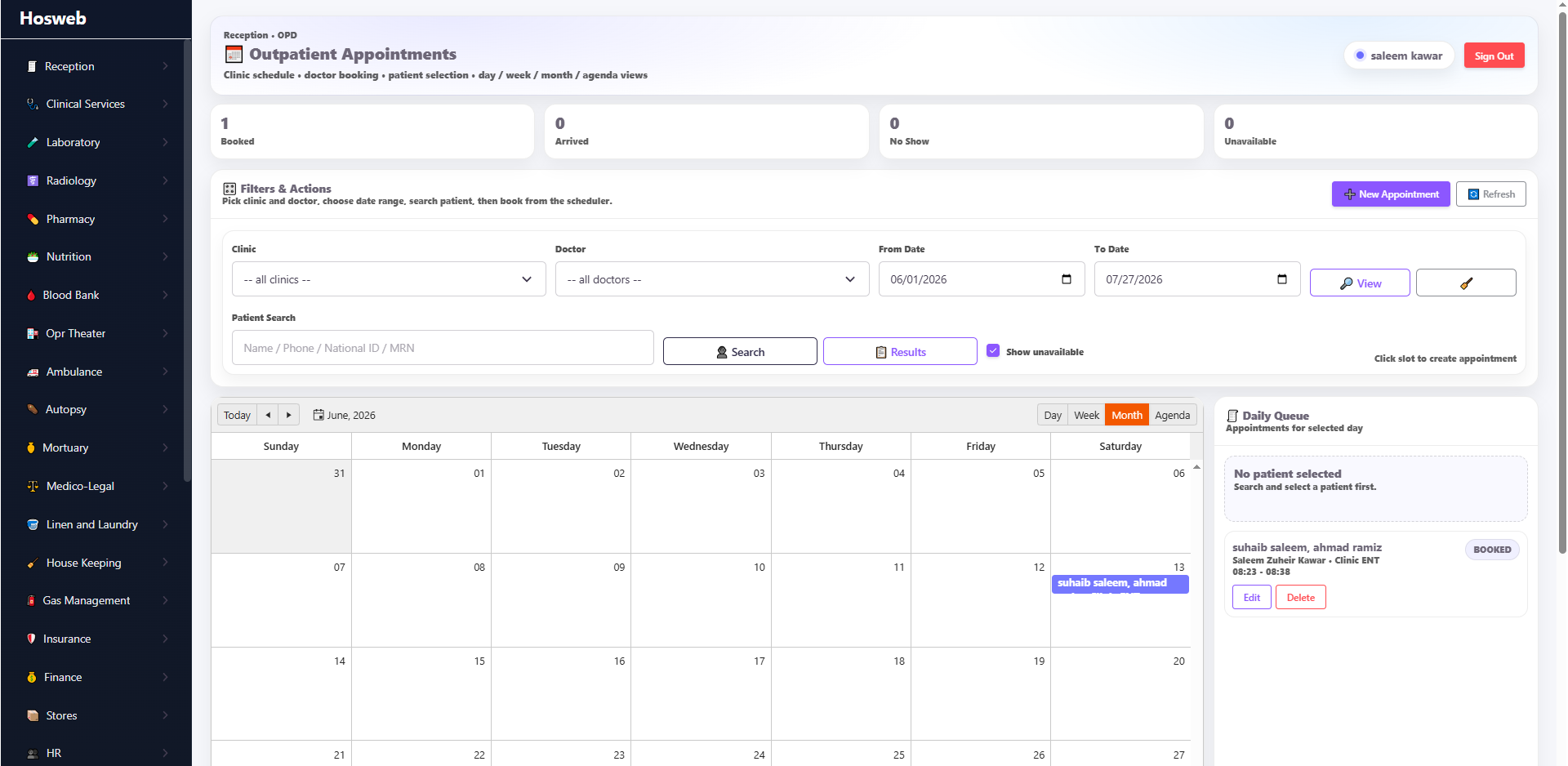
Appointments Screen Preview statistics for booked, arrived, no-show and unavailable slots during a selected period. Create appointments by clinic and doctor, then preview and edit them through a user-friendly schedule.
03

OPD Admission Module

Control outpatient registration, consultation charges, orders and billing.

ScreenDescription
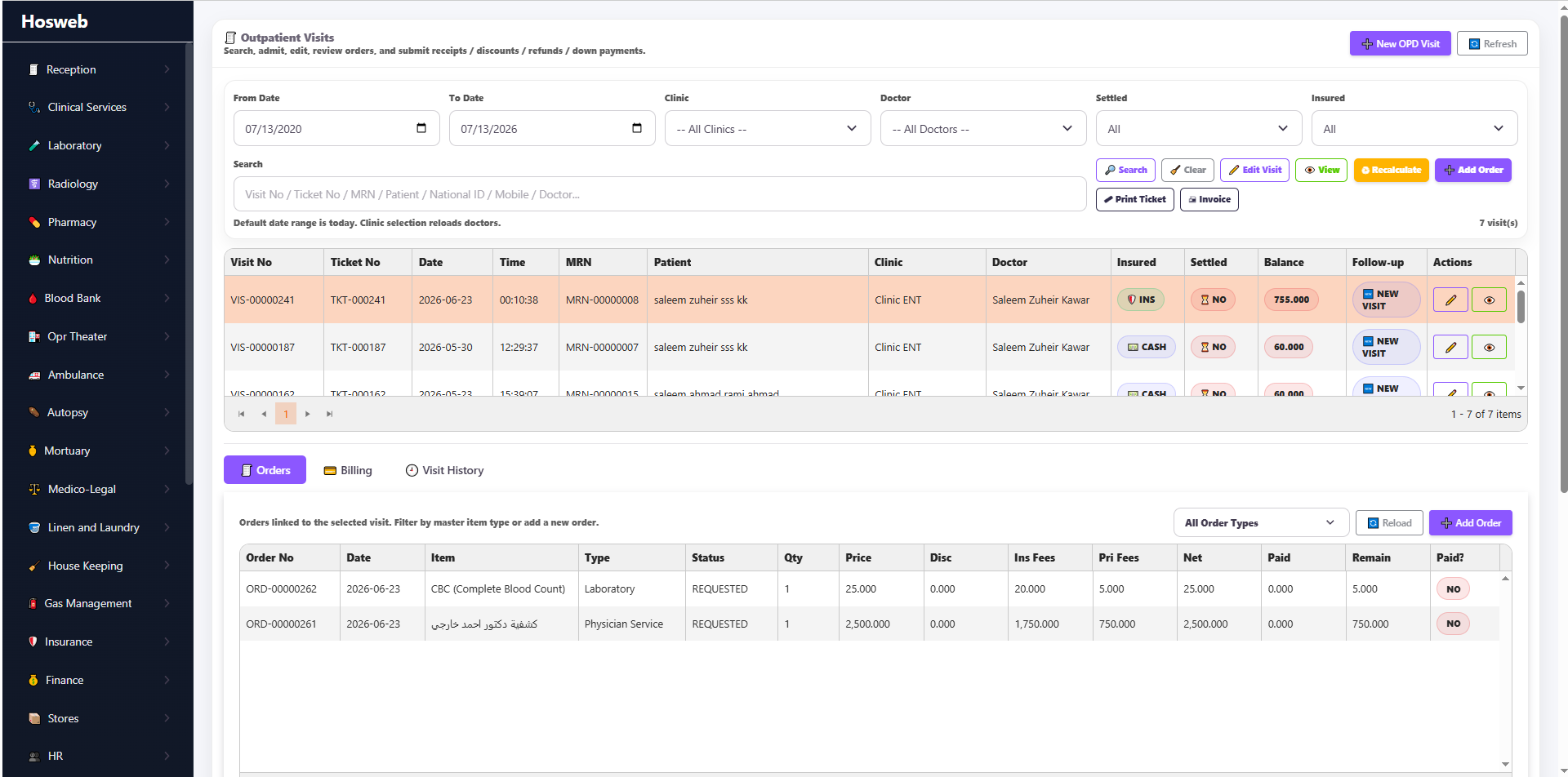
OPD Admission Screen The outpatient admission screen is used to admit patients visiting specialty clinics. Patients can be handled using insurance cards or as private patients with multiple pricing options. Consultation and follow-up fees are linked directly to the doctor within the clinical-services setup and are applied automatically when the patient is admitted. Users can also add orders, manage payments and print billing receipts directly from this screen.
04

Inpatient Admission Module

Manage rooms, wards, beds, accommodation charges and inpatient transactions.

ScreenDescription
INP Admission Screen The inpatient admission screen is used to admit patients to rooms linked with wards and beds. Beds are linked to accommodation fees configured in setup. Day-case patients are also admitted through this page but handled using a dedicated workflow. Users can manage orders, billing transactions, transfers and stay extensions, and can open a live room-availability dashboard.
05

Emergency Admission Module

Admit emergency patients using triage priority and integrated billing tools.

ScreenDescription
Emergency Admission Screen Emergency patients can first pass through the optional triage module and then be formally admitted. The triage queue appears inside emergency admission so staff can prioritize patients according to clinical urgency. Reception staff can add orders, process billing transactions and print invoices and receipts from the same page.
06

Walk-In Admission Module

Register direct-service patients without a clinic, emergency or inpatient admission.

ScreenDescription
Walk-In Admission Screen The walk-in module handles patients who do not require clinic, emergency or inpatient admission. It is especially useful for direct laboratory, radiology, pharmacy or selected clinical services such as cast removal.
07

Triage Module

Capture initial emergency assessments and classify patients by urgency.

ScreenDescription
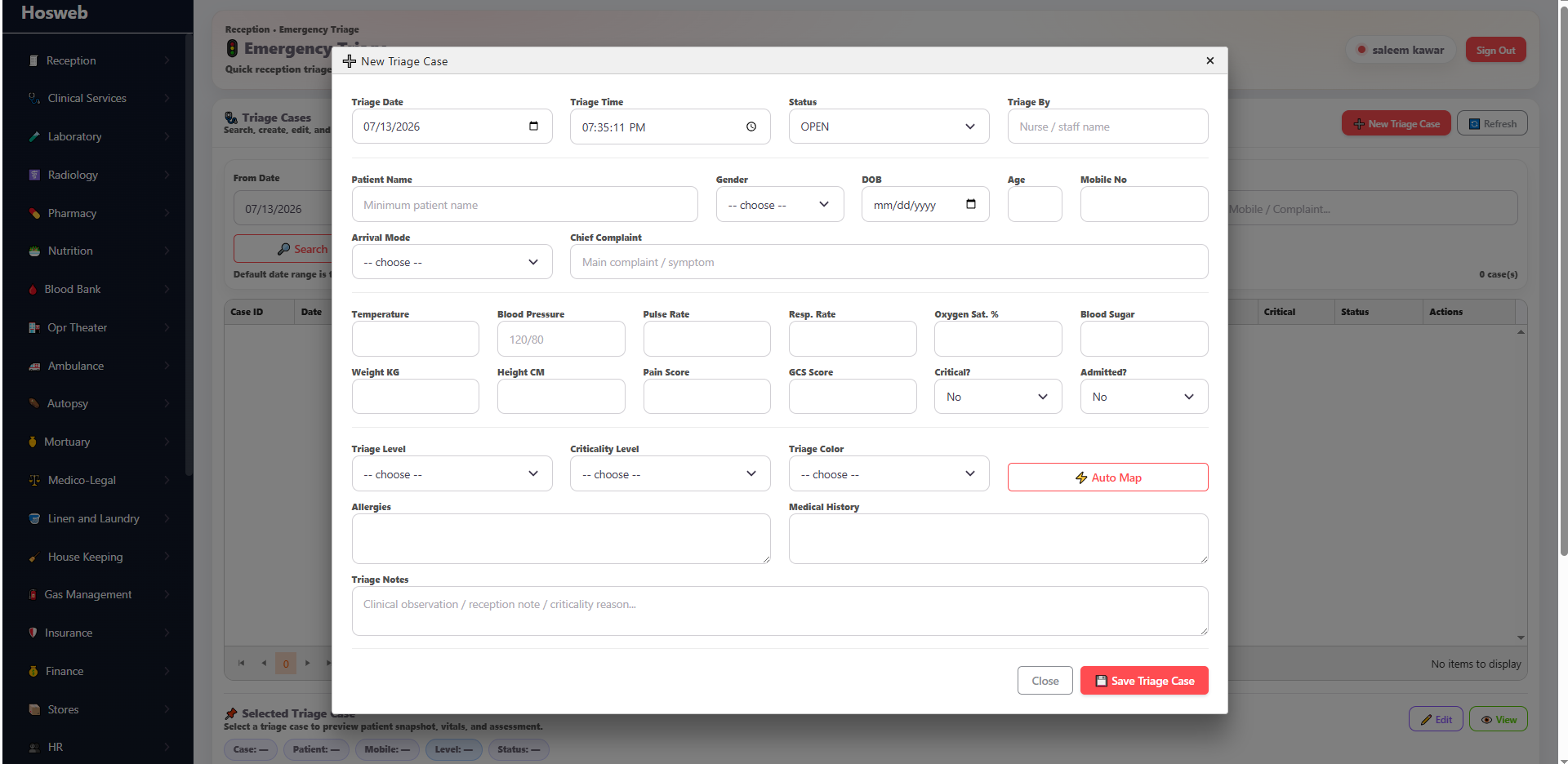
Triage Screen The triage module allows emergency nurses to capture the patient's main information, vital signs and initial examinations, then classify patients according to their criticality level.
08

Discount Approval Module

Control discount requests through user-based approval workflows.

ScreenDescription
Discount Approval Screen The current user sees discount requests associated with the discount types assigned to that user. Requests can then be reviewed, approved or rejected according to the hospital's authorization structure.
09

Reception Cashbox Module

Manage patient billing, cashier transactions, vouchers and daily summaries.

ScreenDescription
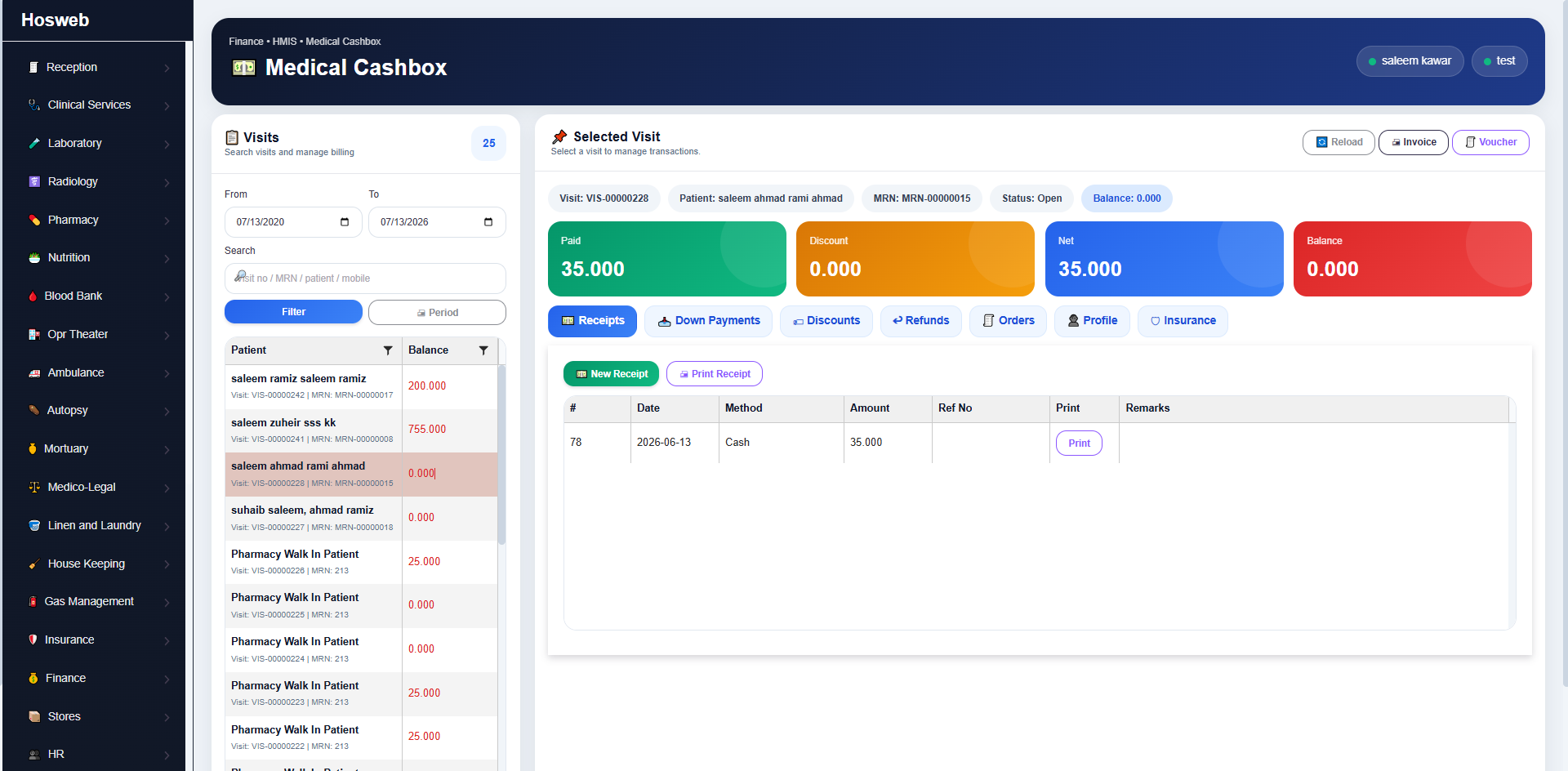
Medical Cashiers Manage hospital-visit billing transactions and balances, including receipts, down payments, discounts and refunds. Cashiers can also preview orders, patient profiles and insurance details, then print invoices and receipts by visit.
Billed Visits Preview visits handled by the cashier and review the billing transactions linked to each visit for follow-up and reporting.
Vouchers Preview and print daily cashier transactions and totals for cash, bank-transfer and card payments.
General Cashbox Manage general daily transactions that are not linked to patients, such as petty cash or small operational cash expenses.
Cashbox Summary Display statistics for cashier transactions, visits and financial activity linked to the current reception cashier.
10

Card Generation Module

Issue patient cards based on the designs configured in reception setup.

ScreenDescription
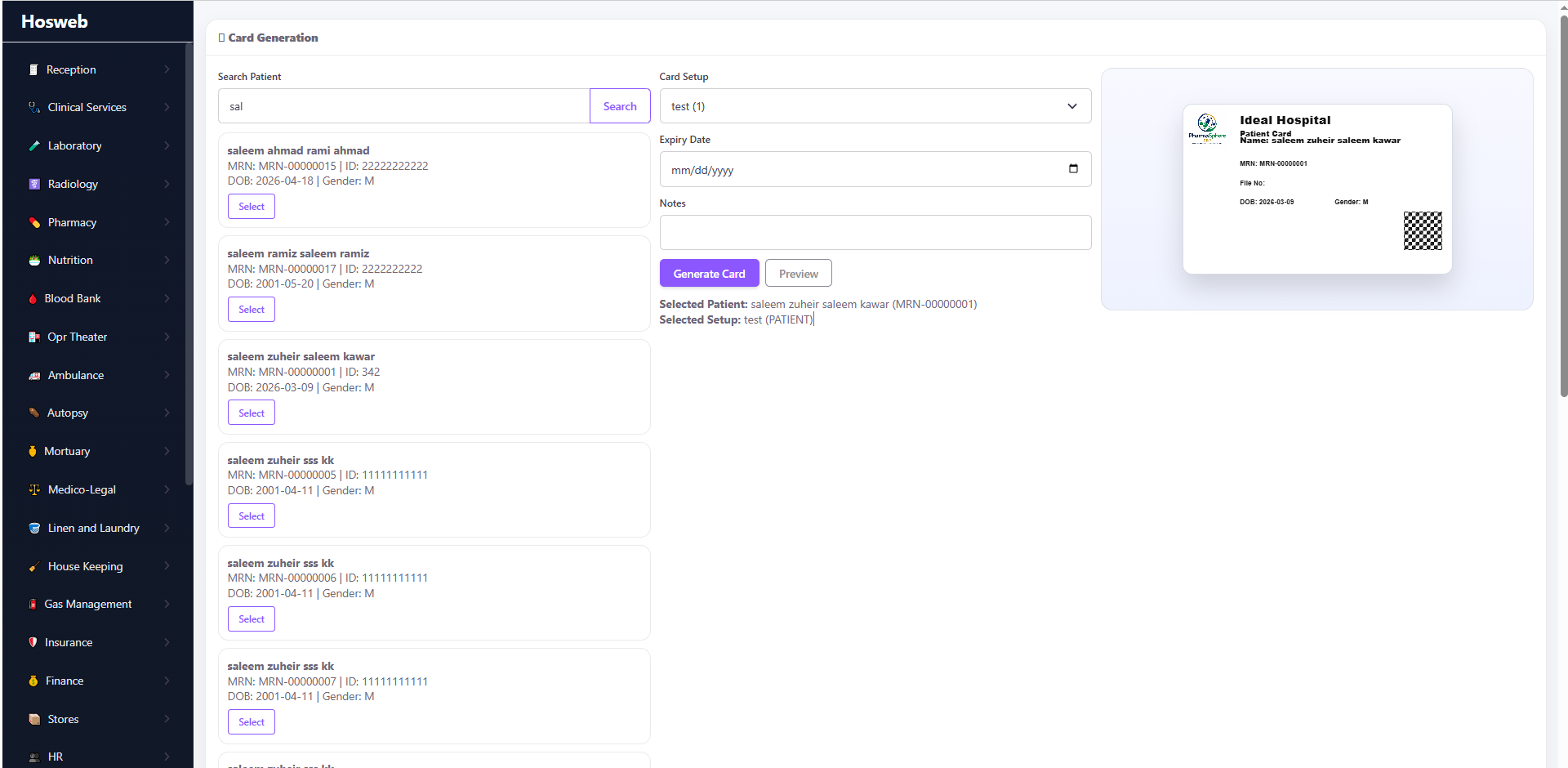
Card Generation Screen Manage the issuing and printing of patient cards according to the card template, layout and patient details configured in the smart-card setup.
11

Medical Records Module

Maintain complete patient files, identities, classifications, insurance and visit records.

ScreenDescription
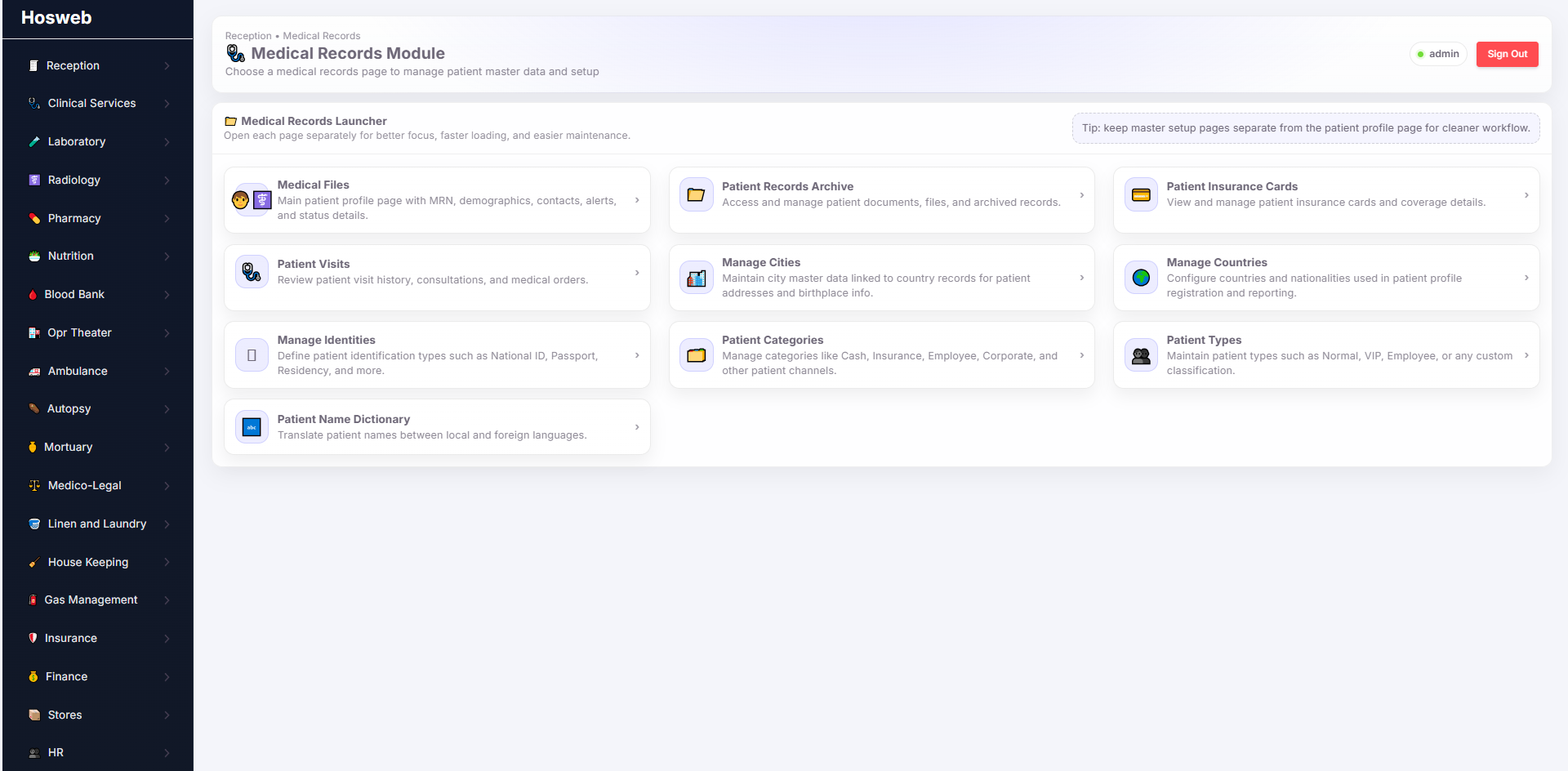
Medical Files Screen Search and preview complete medical records. The patient file can contain main identity, lookup and classification data, identification and birth details, demographics, contact and address information, emergency contacts, status and special flags, notes, alerts and media. Additional internal screens can show allergies, habits, medical notes, vital signs, prescriptions and diagnoses.
Patients Records Archive Screen Preview, upload and archive documents and files for each patient.
Patient Insurance Cards Preview and manage insurance cards linked to patient profiles.
Patient Visits Review patient visits and all orders linked to each visit.
Manage Cities Define cities and link them with countries so they can be selected in patient profiles.
Manage Countries Define countries that can be selected in patient records.
Manage Identities Define identity-document types required by hospital policy for patient registration.
Patient Categories Define patient categories used to classify and sort patient records.
Patient Types Define patient types according to the hospital's own classifications and operational requirements.
Patient Name Dictionary Build a name dictionary between the hospital's local language and another required language. This supports automatic translation of patient names for multilingual environments, such as Arabic to English or English to French.
12

Queue Module

Display and announce patient tickets on browser-based smart screens.

ScreenDescription
Queue Screen This browser-based screen can be opened on smart TVs throughout the hospital. Users select a configured screen zone, and the system automatically displays and refreshes tickets for the clinics or rooms linked to that zone. Tickets can also be announced by voice when required.
13

Order Allocation Module

Allocate service shares among medical staff according to configurable percentages.

ScreenDescription
Order Allocation Screen Link patient services to medical staff and assign a specific share or percentage to each employee. This is useful for teams such as surgical groups, where shares can differ between cash and insurance cases. The configured allocation is then used to generate staff-based service reports.
14

Reception Reports Module

Generate detailed operational and financial reception reports.

ScreenDescription
Patients Visit Report Generate OPD, inpatient, emergency and walk-in visit reports with the required visit details, then export the results to PDF or Excel.
Patients Appointments Report Preview appointment statistics and detailed records for booked, arrived and no-show appointments.
Medical Records Report Generate a variety of reports related to patient files and medical-record information.
Cashier Transactions Report Generate cashier voucher reports, transaction reports and reception cashbox statistics.
Services Allocation Report Generate reports for service-allocation percentages and amounts assigned to medical staff.
15

Reception Statistics Module

Monitor reception performance using operational and financial indicators.

ScreenDescription
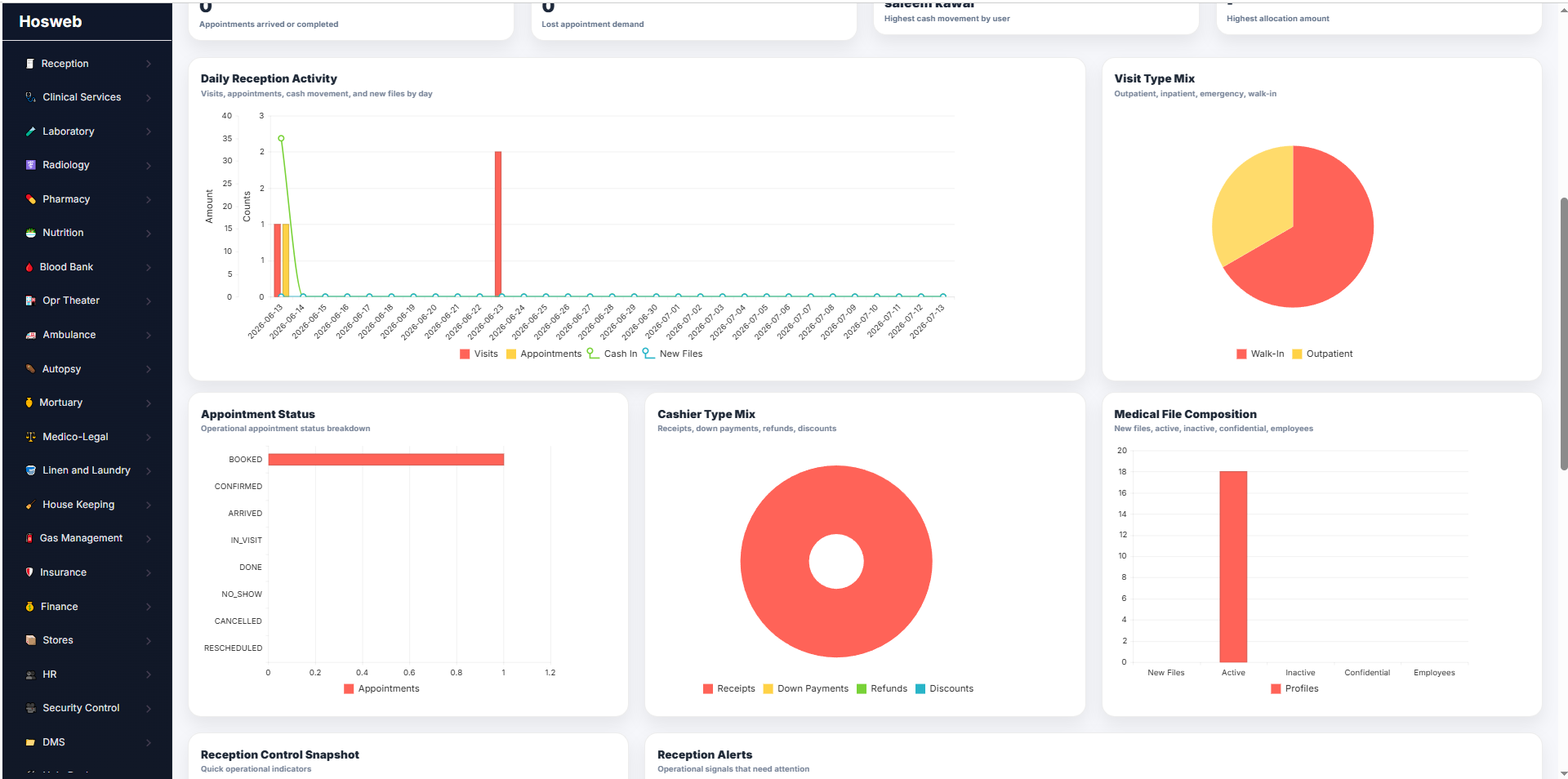
Statistics Screen Preview a consolidated snapshot of reception transactions for a selected period, including visits, appointments, cash received, refunds, top-performing cashiers, top allocated employees and other operational indicators.

Transform Your Hospital Reception Operations

Contact Systemzo to review your registration, admission, queue, billing, medical-record and reception-reporting requirements.